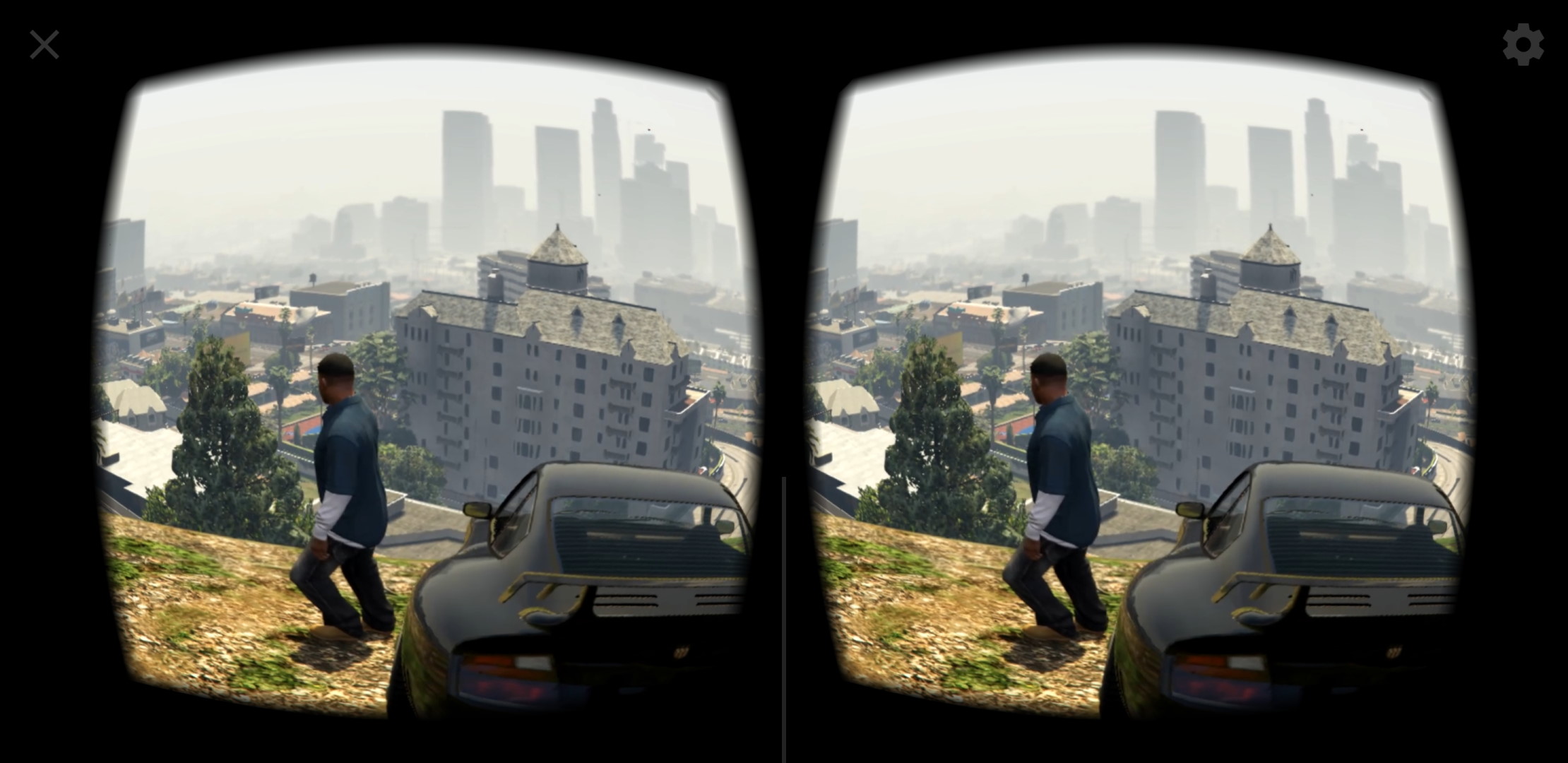
Wednesday, January 17, 2024

Dev Update #61 - VRidge releases on Steam.

VRidge releases on Steam

Hello RiftCats. After years, we have made an effort to release VRidge on Steam!

This move is a significant step towards making VRidge and affordable PC VR gaming even more accessible. To mark this occasion, we're offering a special 30% discount and regionally adjusted prices. If you haven’t yet purchased the full version of VRidge or want to add it to your Steam collection, now is the perfect time to do so.

You can find VRidge on Steam by following this link: https://store.steampowered.com/app/2677750/VRidge/

I want to continue using my old VRidge purchase

For those who have already purchased VRidge, rest assured that your license is still valid. The non-Steam RiftCat client will continue to work seamlessly, and you can always access it at https://riftcat.com/vridge, referred to as the “Legacy Client”. To unlock the full version of this client, use your RiftCat account credentials, VRidge/GameWarp invoice ID, or VRidge/GameWarp code from Kinguin or other sources.

As part of this release, we've cleaned up VRidge by removing some obsolete features and addressing minor bugs.

We're excited about this new chapter and hope that VRidge will continue to introduce people to the world of PC VR gaming for years to come.

Stay tuned for more updates and happy VR gaming!

Friday, May 21, 2021

Dev Update #60 - Beta Android 11 bug fixes.


Minor VRidge update.

Hello RiftCats. It's been some time since the last time we wrote.

Today, we have released a Beta update for VRidge. The update focused on addressing several bug fixes that came up with the release of newest phones and Android 11.

New changes in Android VRidge version 2.7.9 include:

  • App should no longer start with black screen on Samsung devices.
  • App should now correctly support high refresh rate displays (e.g. 120Hz)
  • Devices with Variable Refresh Rate should now switch to highest available refresh rate for better and smoother experience.

To test the Beta features, learn how to join Beta channels by reading THIS guide. After testing this release on a Beta channel for some time, we will push it to everyone.

What's going on at RiftCat?

You might have noticed that we didn't make too many VRidge releases over the past several months. The reason for that is that we consider VRidge to be everything we ever wanted it to be from the very beginning:
  • It's an inexpensive entry point to PC VR using simple Google Cardboard headset using any mobile operating system (Android, iOS) and any VR ready PC configuration (NVidia, AMD graphics cards).
  • We have created our own stable backend with reprojection that provides smooth 3DOF headtracking experience.
  • It supports various standalone headsets like HTC Vive Focus, Oculus Quest, GearVR and other headsets that came and went away throughout the years. Most of these headsets start to rollout their own streaming solutions now so we are not pushing there further.
  • VRidge supports various plugins and extensions that increase its capabilities further.
  • Everything in an easy to use package with tutorials, quite good UX, generally pretty optimal experience and active support at support@riftcat.com 
With this in mind, we consider VRidge to be a software product that is complete. We could make a new minor feature here and there but it would not change the overall perception of it. We simply consider VRidge to be in "the maintenance mode" where we are making sure that VRidge works and is operational. There are other factors for this decision which some of you might have read about in detail at this Reddit post. We might of course release something big when a new technology will come up but for now nothing major is planned.

In short, VRidge will still work - it is a good product that we'll make sure is operational :)

What's next?

VR market is still being shaped by the major players. We had several of huge corporations in this space, before they cancelled their VR products (Google Daydream) or switched to enterprise VR solutions (HTC). The whole landscape of VR became unsustainable for such small company as RiftCat, so we need to make some strategic change or we would fade into nothing with time.

Gaming is what brought us to the VR in the first place, that's why we made a decision to shift to something we always dreamed of - game development. We are working on our first game designed for mobile with aspiration of being as fresh in mobile gaming space as VRidge was for VR industry when it first came out.
It is still quite early in development, but the game will be of a tycoon/strategic type, heavily influenced by games like Transport Tycoon: Deluxe, Anno series and Industry Giant. We cannot wait to show you what we came up with so await more news from our team!


Thursday, July 16, 2020

Dev Update #59 - RiftCat 2.7 - Reprojection for Everyone RELEASED

Reprojection for Everyone is RELEASED
New VRidge 2.7 release brings reprojection capabilities to most mobile phones. Everyone will now have this feature on default (granted that your hardware supports it).

Your VRidge mobile app should update automatically. RiftCat client version stays unchanged.

What does it mean for me?
Basically, if you are using a Cardboard viewer + smartphone with VRidge, you should see much smoother head turning motions while streaming. See our previous blog post.

VR reprojection is one of the most important things that makes everything feel smooth and natural. Without reprojection moving your head has a long response time because the data needs to travel from the mobile device to the PC and back making few stops along the path at different pieces of hardware, each stop adding some latency and inconsistent delays.

Rotational reprojection conceals the delay, smooths out the judder and makes the image respond nearly instantly to your head rotation, as if it was rendered locally. The technique is already used in most PC HMDs and we were already using built-in reprojection where it was possible (Daydream-certified, Oculus mobile and Vive devices) so you might have already used it. This update includes our own reprojection system which makes it possible to support it on much wider range of devices.

This is more important now than ever because as you may have heard – Daydream is no longer supported on the most recent smartphones. While there are many users that use VRidge on Oculus Quest which has the benefits of full 6DOF tracking and motion controllers, there is still a lot of you with regular phones. As you upgrade to the latest iPhone, Samsung Galaxy or other great Android devices, we've upgraded our algorithms to keep up with the hardware. We’re happy to announce that with the 2.7 update you will be able to enjoy motion quality similar to Daydream-certified devices. If your device has high-end hardware, we’ve made sure it’s utilized to its full potential.

The new update will work with both Android and iOS devices. VRidge detects your phone capabilities automatically to enable the suitable reprojection mode.

Enjoy Reprojection for Everyone!
If you'll encounter any issues, send an email to support@riftcat.com where our team will try to quickly resolve your issue.

We hope that you'll enjoy the new update. See you in VR!

Tuesday, April 28, 2020

Dev Update #58 - RiftCat 2.7 Beta - Reprojection for Everyone


RiftCat 2.7 Beta - Reprojection for Everyone
This was originally planned to be a part 2 of the VRidge 2.6 Streaming Enhanced update but we had to postpone it due to various reasons. Now it's here as its own update!

This update will improve head turning motions on most mobile phones (even those not designed with VR in mind) by utilizing reprojection (also known as TimeWarp in Oculus products).

To test the Beta features, learn how to join Beta channels by reading THIS guide.


Reprojection and reasons behind it.
As some of you might have read, Google killed another project of theirs which is Daydream. This means than there is a constantly rising chance the next mobile devices generation will not be able to launch Daydream apps on which VRidge is based a lot.

We could not allow our users to lose the ability to play PC VR games with their Android devices so we created our own reprojection within VRidge so capable devices can use it even without being Daydream-certified.

What this means is that if your mobile phone supports some specific GPU capabilities it will be able to utilize reprojection - it will provide a completely smooth experience when moving your head in your Cardboard device!

VRidge will now ask for the camera and file read/write privileges on your device (to be able to read and store your VR viewer QR code) as previously Daydream SDK handled that.


Will it work on my device?
As of this Beta release, this feature will work only for Android devices (iOS is in progress). We will deploy support for next devices to the Beta channel as soon as they'll be ready.

Our reprojection implementation has 3 modes, best mode will be selected automatically, depending on GPU capabilities, OS version and so on. Those levels are:
  1. Synchronous reprojection - Most simple implementation. All rendering work is done on one GPU thread. After app finishes frame, that frame is being warped to screen with offset to cover difference between pc render orientation and current mobile orientation. In this mode frames should be placed correctly, however motion might not feel silky smooth.
  2. Asynchronous reprojection - This mode separates app rendering loop from VR rendering loop. Because of that we can achieve stable framerate and smooth motion, even if some frames are dropped in transport from PC.
  3. Asynchronous reprojection with direct rendering - Just like in previous mode, this one preserves constant framerate and smooth motion. However because of rendering directly to screen, latency can be significantly lowered. Typically when frame is rendered, it goes to Android Surface Flinger, which is responsible for composing final image that is displayed on the screen. Because of that composing step and double buffering, in default rendering mode frame is displayed 1-2 vertical syncs after it is rendered. That means about 17-33 milliseconds of latency on standard 60Hz display. With direct mode we are able to render directly to front buffer of display. That allows to skip all composing steps for VR layer, significantly lowering latency. Our current implementation works at 8ms latency on 60Hz display. This mode however requires a lot of modern GPU extensions and is mainly designed for newer phones (we mainly tested it on Samsung Galaxy S20, Samsung Note 10 and Razer Phone).
To check out with which mode your reprojection is working (or not working at all), launch VRidge (Diagnostics). It will display the appropriate information.


How to help us with testing?
When you'll test this Beta release and encounter any issues then please send us detailed logcat to support@riftcat.com with a description of your phone model. You can read about logcat here.

If your issue is directly visible on the screen, then simply send us the screenshots. Any additional info is highly valuable.

Your personal opinion also interests us! What do you think about the update? Give us all your thoughts.

Tuesday, April 14, 2020

Dev Update #57 - Streaming Enhanced release.


RiftCat 2.6 Release
Thanks to the Beta tests, we were able to catch most of the bugs within the new version and today it is becoming available for everyone.

To be sure that your update goes smoothly:

Platform What should happen?
PC RiftCat client should update automatically. Make sure to switch to stable channel in RiftCat Settings -> Update tab.
VRidge from Google Play It should update automatically.
VRidge from iOS store It should update automatically.
Oculus Quest Re-do the installation process if installed via script. SideQuest version will update automatically.
Oculus Go / Gear VRIt should update automatically.
Daydream It should update automatically.
Viveport It should update automatically.

Streaming Enhanced brings vastly improved streaming quality, especially on NVidia GPUs.

Initially, we planned Streaming Enhanced to be a two part update, but due to certain circumstances we decided to postpone Part 2 to a separate 2.7 update that will be available in Beta soon. For now, just enjoy VRidge with a much better quality.

There are three categories where VRidge got upgraded.

Image Quality
Some time ago, we found out that streamed image by VRidge has a bit oversaturated color pallete. At the time we thought that it made colors a bit more dynamic and alive. Turns out, it causes visibility issues in dark environments - which is especially visible in Skyrim VR.

The issue is now resolved. We have improved color accuracy to be 1-1 between the generated image on the computer and the receiving mobile device. Everything should now be clearly visible.

Below image shows the color comparison between VRidge 2.5 and the newly released version 2.6.

Click image to enlarge

The 2.6 frame may seem to look a bit more washed out but it is nearly perfectly color-accurate with frame rendered by SteamVR. Mobile VR displays often use low persistence displays where 2.5 frame was displayed too dimly, resulting in lost detail in darker scenes. You can also manually adjust frame brightness with gamma slider in PC app settings.

Latency

An endless subject of latency is often asked whenever PC VR streaming is discussed. We did a fairly good job at keeping the delay of streamed image at bay but we found out a way to squeeze even more performance.

Stream latency
If you have an Nvidia graphics card you can expect a quicker image response. Thanks to the optimizations that we made you should expect latency reduced by additional 5 to 10 ms.

The image below, shows the sampled latency before VRidge optimizations.

Click image to enlarge

Next image shows the sampled latency after new changes got applied.

Click image to enlarge

Rendered at 1080p@60FPS, encoded with GTX 970 @ 17 Mbps, transported with 5 GHz Wi-Fi.

Pictured latency is measured as a time between first and last event of this process:
  1. Getting fresh head and controller pose data from device sensor. Usually sampled at 200 Hz, depends on mobile device.
  2. Sending sensor data to your PC.
  3. Submitting sensor data to SteamVR.
  4. Rendering game frame with the tracking data from phone.
  5. Encoding pixels by NVENC with H264 or HEVC.
  6. Sending encoded frame back to your mobile device.
  7. Decoding frame from H264 or HEVC to GPU-understandable RGB texture.
  8. Binding texture to target VR environment.
At this point the frame is out of our control, it is going to be displayed ASAP with reprojection appropriate to target VR runtime.

In 2.6's NVENC update we improved CPU, GPU and memory transfer delays that were occurring between steps 4 and 6 which should result in 7-8ms better latency.

Controller latency
Additionally to the stream speed improvements, we have used better prediction algorithms for rendering and sampling of the controllers.

With this, you can expect a much faster response whenever you'll move your hand in virtual reality - no matter if you are using VRidge Controller, Oculus Quest Touch or Daydream View 3-DOF controller. All of them should benefit from this new improvement.

This change brings the controllers latency to near native level, making a pleasant gameplay experience. With newly released Half Life: Alyx - Quest users have an awesome gaming time ahead of them :)

Stability

Some of VRidge users had issues with artifacting. It could happen from time to time or happen constantly depending on the user hardware configuration. Especially on 2.4 GHz WiFi networks.

With this upgraded release we re introducing an error correction system. It will compensate for lost packets during the stream allowing for more stable video streaming.

This should allow VRidge to push for higher bitrates as the stream won't get broken with even the smallest packet drop. It will increase the picture quality and get rid of ugly artifacts.

On default, VRidge stream will now add 5% additional data with each frame for the error correction. The system is adaptive, when it will discover that the stream is losing more data than usual, it will adjust the amount of error correction data to provide the best experience possible in granted conditions. If you want to manually tinker with this system, you can override all values as described in our previous blog post (link).

In addition to that, VRidge should now detect lost frames much faster than before to make the error correction system response quicker. With this, you should expect basically no image artifacts during your playthroughs.

If you have Nvidia video card, we did some encoder tweaks as well which should also provide additional improvements in this area.


What's next?
We still have before mentioned Part 2 of this update in preparation. It is related to Daydream cancellation and it will be a game changer for many VRidge users that use regular phones with it. The Beta should be ready soon - we'll let you know about it as soon as it will be published.

We hope that VRidge Streaming Enhanced update will greatly improve your experience. If you like the new changes, let us know about it. If you don't, also provide us feedback so we could fix any issues that might have appeared. Your voice can always be heard at support@riftcat.com

If you like VRidge and the new update - spread the news. Our software lives thanks to your engagement in VRidge community. Any social media posts, articles, videos with VRidge help us tremendously.

Have fun in VR!

Tuesday, March 10, 2020

Dev Update #56 - Streaming Enhanced Beta - Part 1

RiftCat 2.6 Beta - Part 1

We did a huge internal rework of VRidge streaming possibilities, squeezing more performance from our streaming technology. 

To test the Beta features, learn how to join Beta channels reading THIS guide.


In this Beta release you should have a significant improvement to the streaming latency, quality and stability. VRidge should also handle much higher streaming bitrates.

This is a part 1 of this Beta release. We have one more thing in preparation for this update package which will be updated to the Beta channel in the upcoming weeks.

Improved picture compression quality.
Error correction has been added that should compensate for small packet loss. This allowed us to push for higher bitrate with lesser chance of artifacting. On average, picture quality should be 20% better. We also tweaked encoding settings that should improve quality further on nvidia cards.

Improved color accuracy, especially in dark scenes.
We changed the way color palette is mapped during compression. Transmitted picture stream is now color-identical with original rendered picture. Previously contrast was a bit off which resulted in generally reduced visibility in darker scenes.

Reduced latency on Nvidia cards.
On average we reduced encoding path by 5-10 ms. This means that in 50% of cases, it will be one frame faster than before.

Reduced latency of Oculus Quest controllers.
Oculus Quest controllers are now using better prediction during rendering and sampling which reduced perceivable latency to near-native levels. This has effect on other controllers but Quest benefits the most from these changes.

Implemented multiple ways to reduce mid-stream artifacting.
Along with error correction, we added a better frame loss detection which should correct lost packets faster than before.

Known limitations

First few seconds of stream may be unreadable in certain cases. This should resolve by itself in 1-5 seconds.

Minor changes

  • Oculus Quest controllers should have more accurate positional placement.
  • PC builds are now 64-bit only.
  • Updated enet networking library.

Advanced configuration options

There are new options in VRidge.cfg file that can be edited by hand using any text editor.

"Video.ECC.MinPercent": 5,
"Video.ECC.MaxPercent": 30,

Configures minimum and maximum amount of error correction packets. It will dynamically adjust ECC percent between Min and Max, based on frame loss.

"Video.ECC.FixedPercent": null,

When not null, it will override ECC percent to a fixed amount.

"Video.Encoder": "NVENC",

Now starts the new Nvidia encoder, old one can be switched on by using LegacyNVENC instead of NVENC.

"Video.Nvenc.IntraRefresh.Duration": 15,
"Video.Nvenc.IntraRefresh.Period": 360,

Configures how "keyframes" are spread over the stream. Example above means that a keyframe is issued every 360 frames and is fragmented over 15 consecutive frames.

"Video.Nvenc.Invalidation": true,

Configures NVENC to use reference frame invalidation which lets encoder know that some frames were lost in transport and should not be used as references for predictive frames (less artifacting).

"Tracking.Controllers.PoseAge.Api": 0.03,
"Tracking.Controllers.PoseAge.Default": 0.06,
"Tracking.Controllers.PoseAge.Quest": 0.0,

Configures how old (in seconds) the controller data is compared to rendering time. Changing this value will affect prediction (perceived latency vs overshoot and judder)


Stay tuned for more

As always, we are awaiting your feedback to this Beta release at support@riftcat.com. Also, keep tracking our dev blog for news about part 2 of this update.

Have fun with improved VRidge quality!

Thursday, December 12, 2019

Dev Update #55 - GameWarp release!

It's finally LIVE. We have released VRidge update 2.5 which is now available to everyone. It contains GameWarp feature and several other improvements that we made over the last months.

Deployment status:
Platform Version Status Link
PC 2.5 Deployed Link
Google Play 2.5 Deployed Link
iOS App Store 2.5 Deployed Link


GameWarp - prepare for a new VR adventure!

Details
You can now use GameWarp feature to play non-VR games in your VRidge PC VR setup. GameWarp will turn the in-game visuals into SBS (side-by-side) view for you to see in your VR headset. Your head movements and VR controller buttons will also let you control the game.


Using GameWarp is easy - simply press the "Play GameWarp" button in the top bar play menu of RiftCat client.


For more detailed tutorial, simply watch our instructional video:


Pricing
VRidge was planned to have a higher price since the beginning of its development but we didn't want to just increase the VRidge price and call it a day. We wanted to provide value in exchange of the cost increase. That's why we have decided to make GameWarp a paid expansion feature to VRidge. 

This way, we can make a "soft" price increase of our services while at the same time - keep the VRidge base function in the same affordable cost range so anyone can start with inexpensive PC virtual reality.

Current pricing details are as follows (prices in EUR / USD depending on your region):
Unlocking VRidge - 14.99 EUR / USD
Unlocking GameWarp (requires unlocked VRidge) - 9.99 EUR / USD
Unlocking VRidge + GameWarp in a bundle: 19.99 EUR / USD

Users that have already purchased VRidge will receive a special 50% discount code for GameWarp purchase via email so they can benefit from the bundle purchase discount, too.

VRidge changes

VRidge itself also received some improvements so your experience should now be better!

Better quality for Daydream devices
Daydream phones will have better picture quality due to more uniform resolution scaling.

Gamma correction slider
Display too dark? Simply increase the gamma of your stream with a convenient slider! Works both with VRidge and GameWarp streaming.

Better detection of laptops dedicated GPU 
If you are using a gaming laptop, there is an integrated graphics card available and a dedicated one. VRidge sometimes launches on the weaker, integrated GPU making the experience much worse. VRidge should now do a much better job at detecting such cases.

Fixed controllers detection for Vivecraft
Controllers of Oculus Quest, HTC Vive Focus and other VR headsets will now work in Vivecraft. Playing Minecraft with VRidge will be possible once again to the full extend.

Tilt Brush will work correctly for everyone.
Let loose of your imagination in Tilt Brush. Paint anything you'd like using Oculus Touch, HTC Vive Focus or other controllers. Tilt Brush now works correctly.

Moonlight streaming will no longer be capped at 30 FPS.
If you are a Moonlight user, expect much smoother experience. Due to some mistakes on our side, Moonlight streaming was capped at 30 FPS. Now it will stream correctly.

Fixed AMD RX 5000 series green lines issue.
AMD RX 5000 series GPUs should now work correctly with VRidge.


Final notes
Thank you guys for your Beta testing. With your feedback, we were able to drastically improve GameWarp experience from its initial Beta release. We hope that this release will allow you to rediscover your favorite games in virtual reality.

Don't hesitate to still provide us feedback via support@riftcat.com! Sharing the information about the new release is also highly appreciated. Have a nice VR time!

Thursday, December 5, 2019

Dev Update #54 - 2.5.2 Beta Update

RiftCat 2.5.2 Beta - Release candidate
We have deployed another minor patch to Beta channel that should address some reported issues.

To test the Beta features, learn how to join Beta channels reading THIS guide.

Added
  • GameWarp settings can now be saved as profiles
  • Option to stream 3D games with in-game SBS option.
Changed
  • Discrete GPU should be selected more reliably for VR streaming. GameWarp should now work if VRidge is launched on integrated GPU on laptops (it will be attempted automatically unless overridden by global settings).
Fixed
  • Green lines instead of stream on AMD RX 5000 series.
  • Memory leak during pointer image change.
  • GameWarp crashing when device goes to lock screen.
  • GameWarp crashing on launch with FreeTrack active (race condition).
  • StreamView not working with GameWarp.
  • GameWarp being too shaky on Focus (requires Focus build 2.5.2)


Feedback highly appreciated.
This update makes VRidge 2.5 version and GameWarp almost ready for release. As always, we are awaiting your feedback at support@riftcat.com. Hopefully we'll be able to bring you the final version before the end of the year!

Wednesday, November 13, 2019

Dev Update #53 - 2.5.1 Beta Update

RiftCat 2.5.1 Beta - GameWarp fixes
We have deployed a patch to our Beta channel that aims to improve the GameWarp experience.

To test the Beta features, learn how to join Beta channels reading THIS guide.


User Experience Improvements
We have realized that we did a very poor job of informing our users how to launch GameWarp and how to turn on Input simulation. 

We made several changes to the RiftCat launcher UI to improve that aspect a little bit.

Mouse pointer will now be captured
When using GameWarp, your game will now properly display the mouse cursor so you can precisely aim in your head even in RTS games (because why not!)

FPS limit will now be respected during capture
Games exceeding 110% of desired FPS will skip frames at regular intervals. For best smoothness, try to limit the game itself (for example, through in-game V-Sync or RivaTuner) to match your phone refresh rate.

Bug fixes and tweaks (GameWarp and other)
  • Moonlight Mode and recenter hotkeys will now be working again.
  • Controllers will now deactivate faster in SteamVR on shutdown.
  • Gamewarp will no longer stop working when game switches between fullscreen and windowed mode.
  • Gamewarp GPU load during capture and streaming is greatly reduced compared to 2.5.0.


We are still waiting for feedback.
This update should bring GameWarp closer to full release but we still need your feedback on how we can improve upon it even further. Don't forget to tell us what you think about it or if you'll encounter any issues. As always, we are waiting for your message at support@riftcat.com

Thursday, October 31, 2019

Dev Update #52 - RiftCat 2.5 Beta Available

RiftCat 2.5 Beta - GameWarp introduction
Hi RiftCats!

We are excited to announce a new Beta version of RiftCat which brings several important improvements and fixes. We also have a new huge feature that should encourage you to revisit some of your favourite games.

As always, our Beta changes are deployed to our special Beta channel that is different that you may encounter when using VRidge normally. To test the Beta features, learn how to join Beta channels reading THIS guide.


GameWarp Beta
We have developed a feature that will let you use your VR equipment to play non-VR games. GameWarp will stream any normal game into your mobile VR headset and convert the image to VR format.
It will also allow you to control your mouse movements with your head so you could immerse yourself completely in FPS games. Additional support for VR controllers will let you bind all VR controller buttons to the respective keyboard + mouse commands.

Wanna play The Witcher 3 immersed in VR with your Oculus Quest with a standing experience? Now you can!


To start using GameWarp, simply start it from the PLAY menu, juz below normal SteamVR startup button.


GameWarp feature is also highly customizable. All options can be found under GameWarp integration config. You can find it on the integrations list.


GameWarp is a feature that we have plenty of ideas how to expand on. We hope that we will be able to fix all issues detected during the Beta and gather a lot of feedback.

Known issues in this Beta version:

  • GPU usage is higher than required. This may significantly affect framerates on GPU-bound games.
  • Mouse pointer is not visible in streamed frames.
  • Capture rate may exceed 60 FPS and bitrate won't be interpreted properly if FPS is not 60.
What's new
We have introduced a few new elements to VRidge experience as well:
  • Better picture quality on Daydream phones because of more uniform resolution scaling.
  • Configurable gamma correction - with a slider in the VRidge settings and during live streaming.
  • Extra check to verify openvrpaths.path integrity.
  • Extra call to select high performance GPU on laptops with intergated+discrete GPU combo.
Bug Fixes
This update also brings a lot of very important bug fixes that should make VRidge a much better product. Vivecraft & Tilt Brush should work with controllers correctly now:
  • Incorrect alignment on certain Daydream phones with top notch got fixed.
  • Controllers will now work in Vivecraft.
  • Tilt Brush should work properly.
  • Moonlight streaming at 30 FPS maximum got fixed.
  • Fixes for session initiation problems in certain networks with local DNS.
  • Fixed a crash on PCs with 2 same-model GPUs not in SLI/Crossfire.
Other changes
There several other changes too:
  • Mobile builds should now be 64-bit by default.
  • Updated NVENC card whitelist to include few new variants of GeForce and Quadro cards.
  • Updated .NET Framework target to 4.7.2.
  • Updated Daydream SDK to 1.190.
  • Updated OpenVR SDK to 1.7.15.
  • Updated Steam installation link to use https.


We really await your feedback!
Every new version of VRidge brings new features and bug fixes but there is still a lot of work to do. We need your feedback to know on what should we focus on, what works and what are the anticipated features. 

If you'll join the Beta tests, please send us your feedback and any bug reports at support@riftcat.com. Your cooperation is invaluable to us as VRidge software wouldn't be possible if not for your awesome support. 

We hope that new GameWarp and Beta changes will bring you a lot of fun. See you in VR!

Wednesday, July 17, 2019

Dev Update #51 - Oculus Quest release.

We have decided that it's time to go out of Beta for Oculus Quest. All changes that were available at the Beta channel will now be deployed for everyone.

We tried to get VRidge into an official Oculus Quest store but due to their content requirements we will have to keep our current installation process described here. We did our best to make the process as easy as possible so it shouldn't cause too many troubles.


We hope that VRidge for Oculus Quest will provide you with hours of awesome experience :)


Your RiftCat client should automatically update. No mobile update is required to get the new changes.


Changes

Button mapping for Oculus Quest
All button mappings should now be correct. Oculus Quest experience shouldn't differ from normal Oculus Rift S experience when in comes to hand tracking and input.

Controllers 3D model

Whenever you will use Oculus Quest with VRidge, your controllers will now appear as Oculus Rift S controllers in 3d space. Their physical appearance is basically the same as those of Oculus Quest so your experience with VRidge should be more comfortable.
iOS USB Tethering
With updates RiftCat client, you will now be able to connect iOS phone via USB cable. To learn how to connect VRidge for iOS via USB, read our guide.

Languages update

We have deployed Serbian language (thank you for your translation effort!) and updated existing languages with your fixes. Thank you for all of your contribution.

Minor changes:

  • Added Oculus Quest installation instructions to connection screen.
  • Improved headset type detection within games for better input and 3d model recognition.

Enjoy the new update! As always, let us know if you'll have any issues with updated version. You can reach our support team at support@riftcat.com

Thursday, May 30, 2019

Dev Update #50 - Oculus Quest Beta version and iOS update.


Hello RiftCats!

We have an update for you which we hope will make your VRidge experience even better. To make use of these changes, you'll need to use RiftCat Beta client. To learn how to try out the Beta version, simply follow this guide.


VRidge (Beta) for Oculus Quest

As many of you already know, we have released an Oculus Quest version of VRidge as a Preview version. You can see how it works in action by watching this video:


The installation of Oculus Quest version is a bit clunky but we have written a guide to help you install VRidge Beta for Oculus Quest with relative ease:

READ MORE

If you already had VRidge Preview version for Oculus Quest installed, simply rerun the script described in the above article to update.

What's new

Controllers in SteamVR will now be visible as Oculus Touch controllers.

We are using Oculus Touch model to represent your hands in VR when using Oculus Quest. They have very similar shape and using them provides us the following benefits:
  1. Game developers that created PC VR games often had Oculus Touch controllers in mind when creating their games - ensuring that games will work reliably with this controller mapping.
  2. Oculus Touch controllers have 3D model which is fully animated (you can see button presses in VR).
  3. Oculus Touch controllers are physically similar to Oculus Quest controllers which allowed us to adjust them accordingly.
We hope that with this controller mapping you will play the games close to the native PC VR experience :)

Keybindings improvement and fixes

You should now be able to freely operate SteamVR games by using Oculus Quest joysticks. Also, we have fixed an issue with right joystick pressess not registering in SteamVR.

All buttons should now work properly.

VRidge for iOS

We didn't forget about iOS users - we have several improvements for you too.

What's new

USB tethering should now work with iOS

We have received many requests to make iOS version of VRidge work with USB cable. We have found the root cause of why it didn't work in the first place and now if you'd like to use VRidge tethered you can easily do so.

QuickSync encoder fixed for iOS

iOS version had issues with QuickSync encoder. It should work properly now when using it as streaming encoder.

Required iOS version lowered to 11

Some of you asked us to enable VRidge installation on lower version of iOS than 12. We thought that due to the most recent AppStore requirements it won't be possible but we found a way! If you have an older iOS version, give VRidge a try.

Various fixes and improvements for stability

VRidge for iOS received a multitude of minor fixes which should make it much more stable.


Final words

This update should bring iOS and Oculus Quest version to a state of which we are really happy about. We will continue to bring you improvements but as of now it should bring you a lot of fun time in VR.

Also, if you thought about making a video or streaming VR games with VRidge. We made a small article on how our little StreamView tool can help you. Read about it here: https://support.riftcat.com/hc/en-us/articles/360005933460

See you in VR!

Thursday, May 9, 2019

Dev Update #49 - VRidge 2.4 is LIVE - iOS released!

It's been a long time but we finally were able to finish what many of you have waited for. iOS version of VRidge is now LIVE! VRidge 2.4 is released to everyone - your mobile app and RiftCat desktop client will automatically update.

Deployment status:
Platform Version Status Link
PC 2.4 Deployed Link
iOS App Store 2.4 Deployed Link

iOS version released

Finally VRidge can now be used with iPhones so simply update RiftCat client and download VRidge from iOS App Store to have fun with PC VR!


Spread the news to all your friends that couldnt use VRidge before because of their phone model. Let them also have a try at inexpensive PC VR :)

AMD GPUs fixed

Specific AMD GPUs chipsets like Vega had an issue with certain resolutions which showed up as a pixelated screen with green lines. 


The issue is now fixed so AMD users with Vega cards should now be able to enjoy VRidge without issues :)

New languages deployed

With your tremendous help via CrowdIn we were able to bring in additional languages to VRidge. This time we are releasing 7 additional languages:
  • Estonian
  • Norwegian
  • Portuguese
  • Romanian
  • Slovakian
  • Ukrainian
  • Vietnamese
Thank you for your help. VRidge now supports a total of 22 languages!

Final notes

VRidge now works with basically every major mobile platform. Thanks to your support we were able to reach that point. We are very grateful that you helped us with VRidge improvements over the years. 

Let us know your feedback about VRidge 2.4. As always, reach us at support@riftcat.com - our team will be able to see it.

Monday, April 15, 2019

Dev Update #48 - iOS coming very soon


Hello everyone!

Today we have released a new Beta version. It doesn't contain a lot of changes but they are very important for our next big release. Read further to learn about what's coming :)

To learn how to join the Beta, read this guide.

This Beta update has an update only for Windows RiftCat client. It is already deployed on Beta channel.


iOS groundwork

This RiftCat client is compatible with iOS version of VRidge. We are in the process of iOS App Store approval.

As soon as we'll get approved on the iOS App Store we'll be able to bring this RiftCat client version to the public and we'll finally be able to use VRidge with iPhones :)


Unfortunately, there is no feasible method of sideloading apps for iPhones so we'll have to patiently wait for the approval. In the meantime, please try out the updated RiftCat client to check if we didn't break anything :)

Fix for AMD GPU's

Some AMD GPUs (especially Vega chipsets) had an issue that made VRidge unusable in certain scenarios. Usually it appeared as a pixelated screen with green lines.


We were able to narrow down the issue and fix it so if you have any AMD Vega card - let us know if the Beta version helped you.

Translations

Thanks to your help, we have additional languages ready to be deployed :) For now they are only available in the Beta RiftCat client but with the stable release they will get deployed fully.


You can learn how to join the translation effort by reading this Blog entry.

Final words

Thank you guys for your everlasting support! 

Thursday, January 31, 2019

Dev Update #47 - VRidge Controller and Tracking Update released!


It is time! VRidge 2.3 is released. Thank you for your relentless testing and feedback. Now everyone will be able to have fun with our new tracking options.

This update brings everything that was available on Beta channel to our live version. We also have an additional surprise for you.


Current deployment status:

Platform
Version
Status
PC
2.3.12
Deployed
Google Play
2.3.11
Deployed
Viveport
2.3.11
Awaiting approval
Oculus Home (Go and GearVR)
2.3.11
Deployed
Daydream store
2.3.11
Awaiting approval


VRidge Controller

Earlier last week we have released a trailer video for our new product - VRidge Controller. It’s an Android app that will let you turn your spare phone into a VR controller compatible with VRidge.
You can use two phones to have full 3-DOF VR experience or pair it with Daydream/Oculus Go/HTC Vive Focus controller and use them together.

You can check how well it works on our VRidge Controller trailer video:


The usage of the app is very simple. The straightforward setup process should get you up and running in no time but if you’ll get confused at any moment, our tutorial video might come in handy:


Currently VRidge Controller is distributed through Google Play and is being priced at $5. We hope that this neat add-on will bring you a lot of joy in VR!

Xbox and Mouse+Keyboard controllers

With this update, our new movement model is also going live. New integrations available in RiftCat will let you use Xbox controller or Mouse+Keyboard to move and control your hands in virtual reality.

Learn how to do it by watching our tutorial video:


This feature should let you fully play VR games that do not require very fast and precise hand movements. It is a perfect addition to what VRidge has to offer and it is completely free. You can find this option integrations tab in RiftCat client.


You can even pair these controls method with VRidge Controller app to create very interesting control schemes!

Lenovo Mirage Solo support

Daydream All-in-One headsets like Lenovo Mirage Solo had limited support. The controller was working but the headset positional tracking system was not. This update brings full support to Daydream WorldSense technology so anytime you use VRidge with device utilizing this tracking technology you will be able to freely move in a VR world!

Camera passthrough option

It’s not comfortable to constantly take off your headset whenever you want to look at your keyboard or monitor screen. This patch solves this problem if you have front facing camera!

Double tap your phone screen or capacitive button of your headset. You can also use Gear VR touchpad to do it and if you prefer keyboard shortcut, simply press: CTRL + ALT + SHIFT + S to to check what’s in front of you through your device camera.


Of course to use this option make sure that you have front facing camera on your VR device. If you are using phone inside a VR case, make sure that nothing is obscuring your phone camera view.

AR Core positional tracking

If you have an AR Core support phone, you can try out an experimental feature to track your head position with it. This option is hidden in RiftCat/Config folder. Simply change “ArcoreTrackingEnabled” to “true” in VRidge.cfg file which can be opened in Notepad.

New interface changes

We’ve made some changes to RiftCat GUI to make it more readable. Among various small convenience options like adding IPD / Scale slider values or creating an option to show login window on connection screen we have remade the integrations screen to be more descriptive.


We also have new SteamVR icons for VRidge!

New languages

Thanks to your great effort via our CrowdIn campaign we were able to deploy additional languages and update previous ones! Released languages:
  • Greek
  • Japanese
  • Swedish
As always, there is always something to improve with these translations so don’t hesitate to use CrowdIn to provide your feedback!

We also received the last minute translations to Estonian language which is 100% complete. Unfortunately it missed the deployment window, but we’ll make sure to release it with the next update!

Updated VRidge API

We’re opening up a way for you to also remap your 3DOF DIY controllers in the same way as Gear VR / Go, Daydream or Vive Focus controllers are remapped. We also added additional access layer to simplify API usage. This is combined with a release of Java SDK which can be used by your Java or Android projects.

Additions

  • Added Java API client.
  • Added VridgeRemote class as a fire-and-forget access layer to use API without managing connection state.
  • Added a way to remap 3DOF controllers into 6DOF controllers, attached to head.
  • Added HeadRelation which configures how the pose is affected by recenter calls. Default "Unrelated" should cover most cases.
  • Added discovery UDP broadcast which lets you find active VRidge servers on the local network.
Changes
  • Removed async offset's pitch and roll axes. Old calls will discard pitch and roll data and only use yaw offset. Discussion.
  • When using reprojection-enabled device, rotational head tracking input will be discarded. External rotational data doesn't play well with devices expecting to use late reprojection based on their own sensor data.
  • Controllers will now disappear after 5 seconds without new data.
  • Deprecated OrientationMatrix as pose format. Added separate rotation quaternion and position vector instead. Removes ambiguity of pose matrix format and byte layout. Old format still works.
  • C# API client now multi-targets .NET Standard 2.0 and .NET Framework 4.7.
Go to our GitHub repo and explore changes for yourself!

A lot of minor fixes and features

There is also a lot of minor features and fixes. For example, we now natively support Finch Shift controllers so if you have them, you can enjoy using them with VRidge. Other changes are:
  • Changed how recenter hotkey works internally so it doesn’t conflict with API trackers and reprojection.
  • Changed the way we calculate velocity of controller (throwing should work more reliable now). Controllers should be less jittery in most games.
  • Updated Oculus SDK to 1.16.
  • Updated PC app .NET to 4.7.1. You will be automatically prompted to update your .NET runtime if you disabled Windows Update.
  • Whitelisted RTX cards for NVENC (GUI problem only).
  • Blacklisted GTX 1030 from NVENC. It doesn’t have hardware encoder.
  • SteamVR should now be closed in a nicer way by VRidge (trello card).
  • Legacy oculus sdk games should now work properly on devices with reprojection.
  • Added option to autostart SteamVR when mobile device connects to Vridge.
  • Improved connection streaming stability, especially with high bitrates.
  • General Android side optimizations.
  • Fixed crash logging in vridge.log
  • Fixed Android’s VRidge lobby overlay becoming stuck in some cases.
  • Fixed Daydream app not resuming properly on some devices.
  • Fixed a crash related to missing DirectX components on Windows 7. It will now ask user to download missing DirectX update.
  • Fixed rare Android networking native crash caused by race condition.
  • Fixed gamepad recenter binding not being detected properly in Riftcat Config.
  • Fixed Riftcat crash when Config subfolder was deleted by user if Riftcat was installed to Program Files.

New Android permissions

This update will ask for additional permissions on your Android device. It will ask for camera and bluetooth - we use these permissions to be able to work with AR Core and Finch controllers SDK. We do not use any of these permissions for anything else so you do not have to worry.


What’s next?

We are now focusing on iOS development. It’s in advanced development stage so hopefully we’ll release it very soon!

Also, there is Oculus Quest release coming up. We will make sure to be able to fully support it as soon as possible.


Final words

This update is a great step for RiftCat but giant leap for VR… or something among these lines. It’s definitely important milestone for us that will vastly increase VRidge possibilities. We hope that this update will bring you a lot of joy and fun in virtual reality.

Don’t hesitate to share the news about the update on our social media and among your friends. The more people know about VRidge, the more VR players we’ll have to hang out with in virtual worlds.